Battery claims depend on how often you open the locket
Totwoo describes the Tree of Life locket as using a rechargeable battery, with a viewing-count estimate and a standby estimate that depend on use. A frequent viewing routine is not equivalent to leaving the device unused. Charge it according to the supplied instructions and use the compatible charging equipment rather than an unrelated magnetic connector.
Understand standby versus viewing
Standby describes a period when the device is not actively displaying media. Each viewing session uses power for the display and associated electronics. The actual battery duration therefore depends on how frequently the pendant is opened, how long content is displayed and other factors. Totwoo advertises up to roughly 300 views and around eight to ten days of standby for its Tree of Life model. These are manufacturer figures rather than independent measurements or promises for every owner. The Smart Locket Setup, Maintenance and Troubleshooting places charging within the wider setup and care routine.
Plan a routine around your actual use
A person who opens the pendant several times throughout a day may need to recharge it more often than someone who looks at a photo occasionally. Start by observing your own device's behaviour rather than establishing a rigid schedule based on a marketing estimate. Keep the proper cable in a consistent, easily accessible place. If you take the necklace on holiday, consider charging it before departure and bringing its cable if necessary. Test that playback works after charging, especially if the necklace is being prepared for somebody else. A gift recipient should know where the charger is and how to recognise the model's normal charge indication.
Use the equipment intended for the device
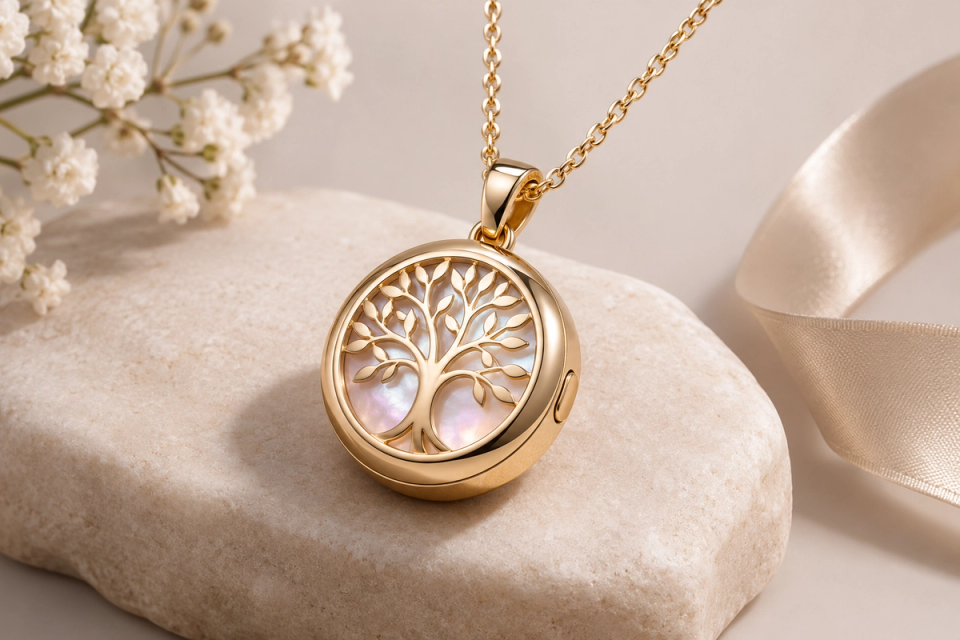
The Tree of Life gold listing specifies a magnetic USB charging cable. Magnetic connectors that look similar may have different contact positions or electrical arrangements, so do not substitute another wearable's cable simply because it attaches. Check the manufacturer’s instructions for the appropriate power source and connector orientation. Make sure the charging area is clean and dry. Do not force the connector, scrape the contacts with a sharp object or use a liquid cleaner on an electronic charging interface unless the manufacturer explicitly authorises it. If the original cable is lost, obtain a replacement confirmed compatible with the exact model.
If it appears not to charge
Check the power source with another appropriate device and examine the cable for obvious damage. Reconnect according to the official instructions and look for the expected charging response. If the pendant has been stored for an extended period, refer to the manufacturer's guidance for recovering a discharged device rather than repeatedly connecting unrelated chargers. If it becomes unusually hot, emits an unusual smell or shows signs of swelling, stop charging and seek manufacturer support. Do not open the electronic housing or attempt to replace a built-in battery yourself. For problems that persist after a successful charge, consult the Smart Locket Not Connecting: Bluetooth and App Troubleshooting.
How battery condition affects a purchase
Rechargeable batteries normally have a finite service life, and actual condition can change with age, storage and use. Before purchasing a used locket, ask whether the screen operates after charging, whether the proper cable is included and whether ownership can be transferred. A working screen at the time of sale does not guarantee future battery duration. Check the manufacturer's warranty and support arrangements for your region, especially if you intend to use the pendant as a long-term gift. There is no reason to assume that a more expensive colour variant has a different battery unless the specifications establish that difference.
Preserve access to the actual memory
A depleted battery should not mean losing the only available photograph or video. Store the originals separately and verify that the locket is only holding a convenient viewing copy. If the necklace stops working after several years, the original memories can still be placed in a conventional locket or transferred to another device. For daily handling, the Are Smart Lockets Waterproof? Everyday Care and Protection explains the distinction between protecting the finish and protecting the electronic components. A thoughtful ownership routine keeps the charging equipment and the memories equally accessible. Battery behaviour is model-specific: compare the separate Bond Heart charging guide only if you own that device.
Frequently asked questions
How long does a charge last?
Totwoo's advertised figures depend on use; standby and active viewing are different measures.
Can I use a charger from another smart necklace?
Only if the manufacturer confirms exact compatibility. A similar-looking connector is insufficient.
Sources
Smart Lockets Library
Complete guide
Main guides
- Totwoo Tree of Life AI Smart Locket: Features, Benefits and Limitations
- How Smart Lockets Work: Photos, Videos and AI Memories
- Smart Lockets as Meaningful Personalised Gifts
- Smart Locket Setup, Maintenance and Troubleshooting
Supporting guides
- Smart Lockets vs Traditional Photo Lockets
- Totwoo Smart Locket: Gold vs Silver
- Digital Photo Lockets vs Heartbeat Necklaces
- How AI Moving Memories Bring Photos to Life
- How to Upload Photos and Videos to a Smart Locket
- Do Smart Lockets Work Without Internet?
- Smart Locket Privacy and Personal Photo Security
- Smart Lockets for Long-Distance Relationships
- Smart Lockets for Mothers and Grandmothers
- Smart Memorial Lockets for Remembering Loved Ones
- Smart Lockets for Remembering Pets
- Smart Locket Not Connecting: Bluetooth and App Troubleshooting
- Are Smart Lockets Waterproof? Everyday Care and Protection